SMS Web Communications and Messaging Workflow
Last updated: May 12, 2026
There are two places where users can (un)select or opt-in/out to receive SMS messages.
Sign-Up
Sign-up starts at this URL: https://member.skylerhealth.com/auth/register
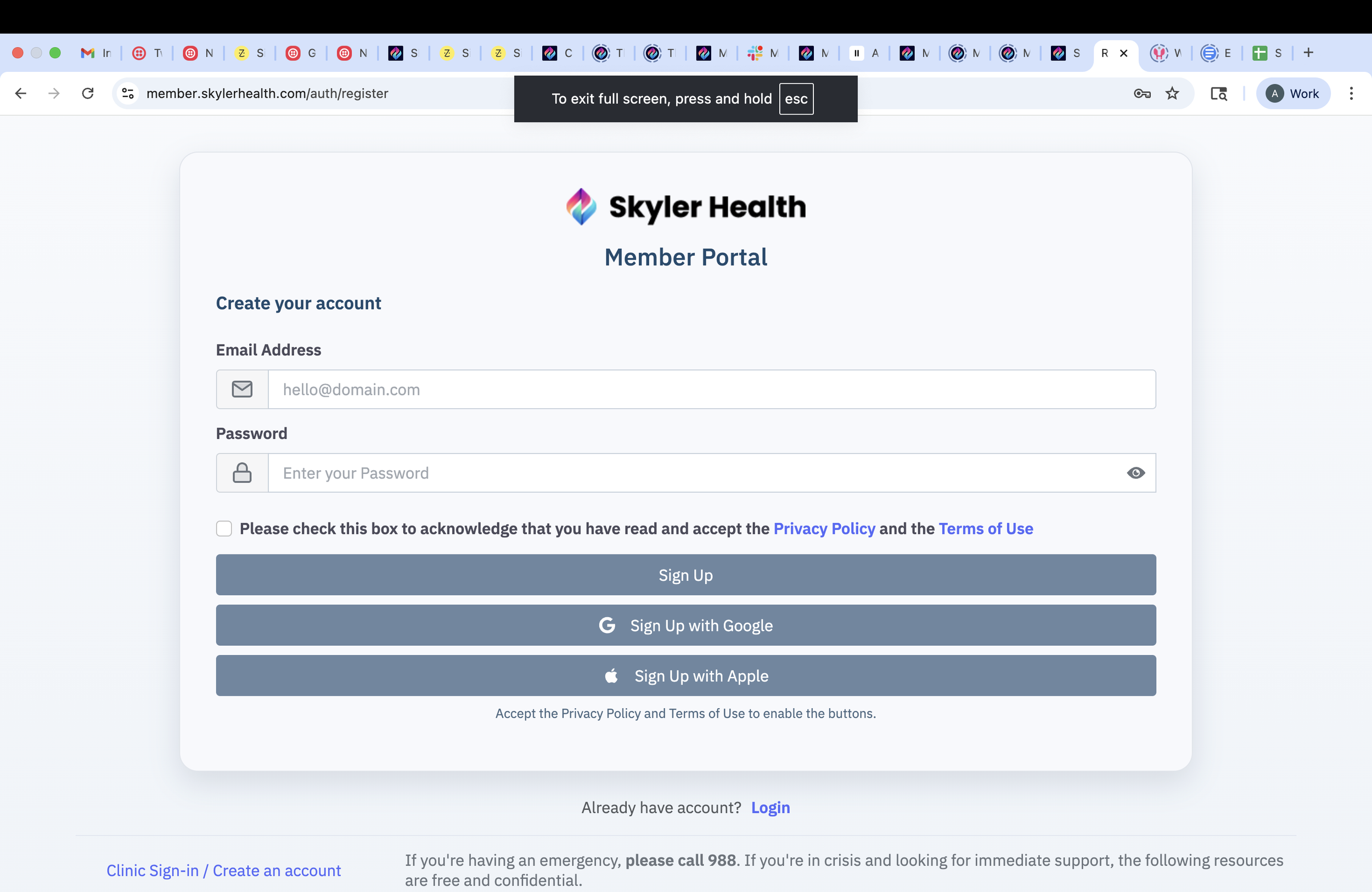
Users type in an email and a password, check the Privacy Policy and Terms of Use acknowledgement checkbox and click SignUp. They are then taken on this next page:
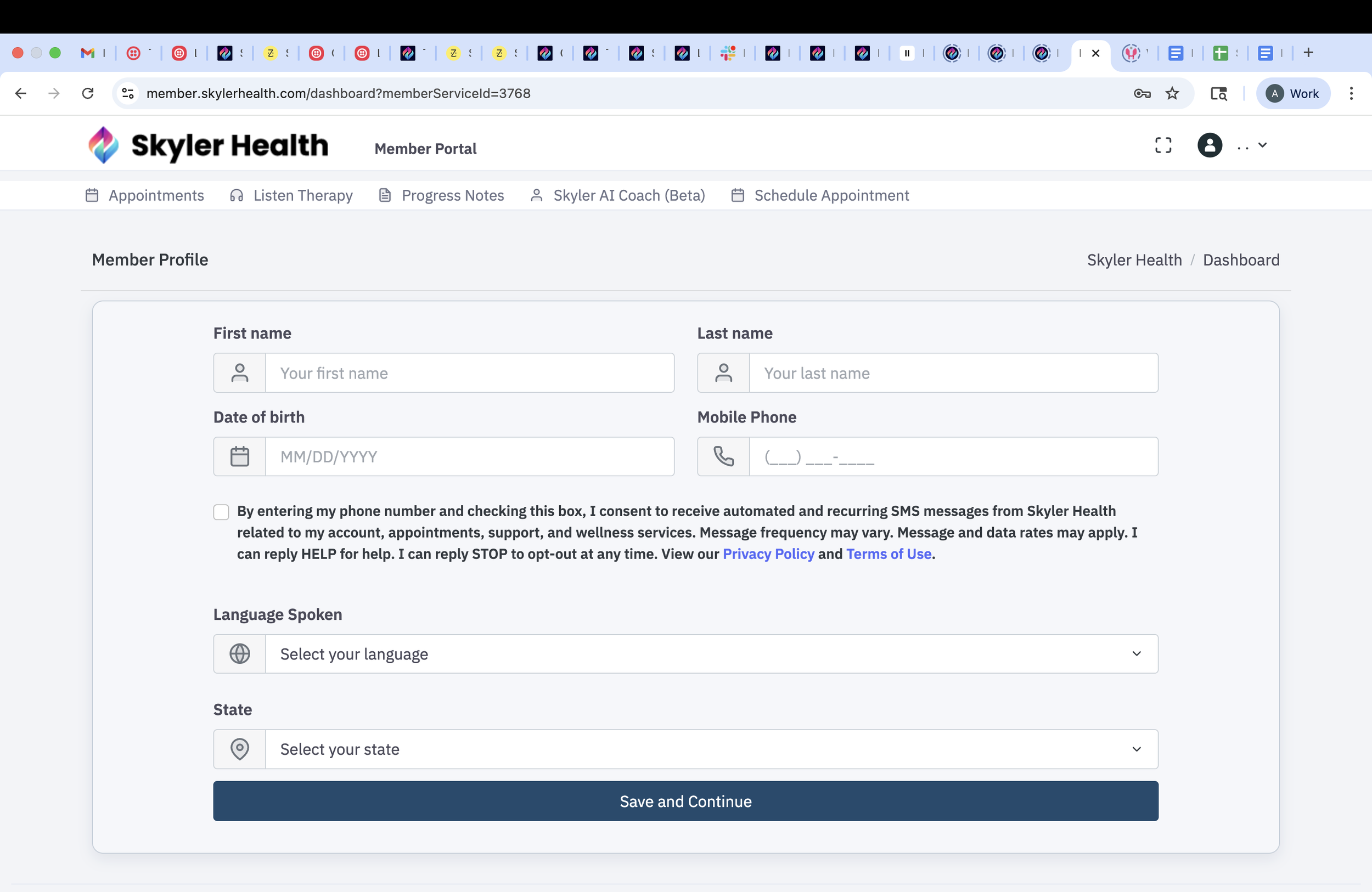
On this page, users will have to check the checkbox to accept the SMS consent or leave it unchecked in order to remain opted-out be default.
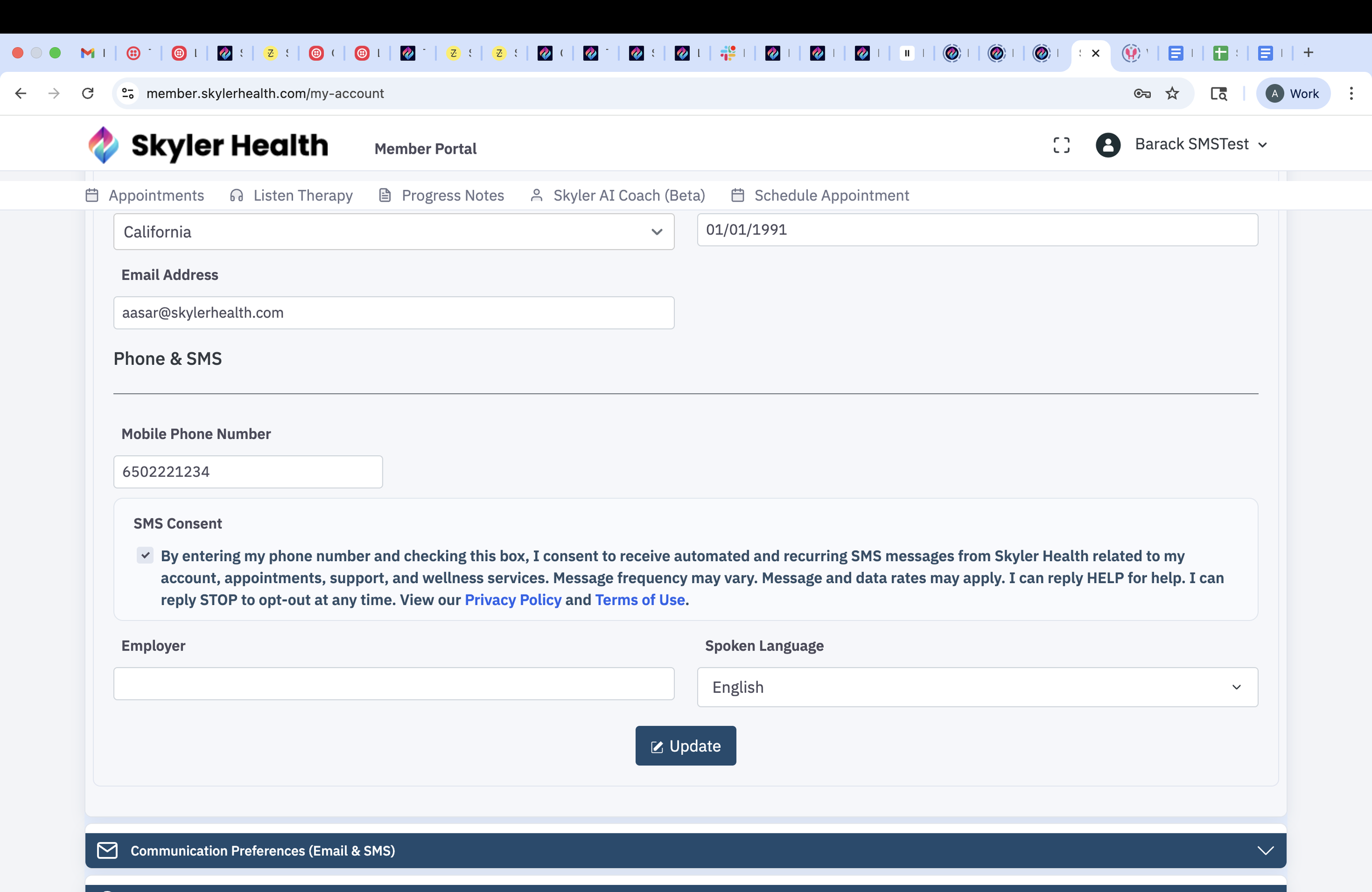
My Accounts section
Once you are signed up, a user can go to their My Accounts page by clicking on their name in the top right corner and select My Account from the dropdown. In the My Account page, under Personal Profiles Details > Phone & SMS > Mobile Phone Number, users will see their phone number and selection for SMS messages below the phone number. The checkbox will be checked if you had previously selected it otherwise it will be unchecked. Users can change their selection and then save their selection by clicking the Update button.